From the official product page:
- Gaming Grade Wireless Technology
- 6400dpi 4G Dual Sensor System
- Dual mode wired /wireless functionality
- 1000Hz Ultrapolling /1ms response time
- Multi-Color Lighting
- Up to 200 inches per second* /50g acceleration
- Approximate size: 128mm x 70mm x 42.5mm
- Battery Life: Approx 16 hrs (continuous gaming)
The mouse

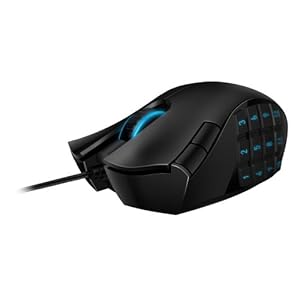
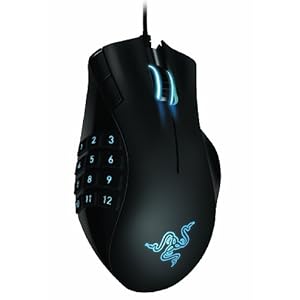
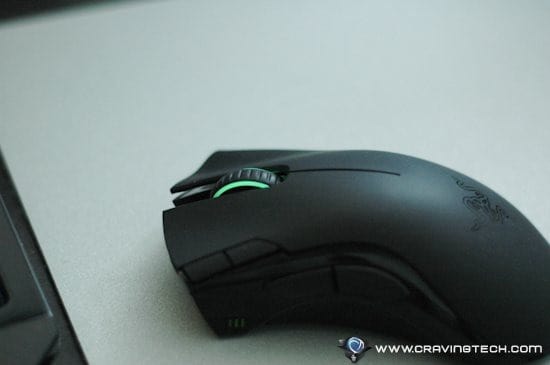
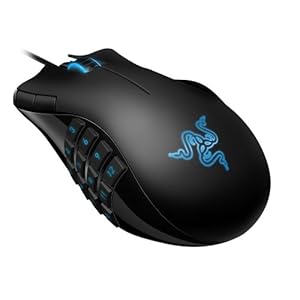
Razer Mamba 2012 has a similar design to the original Razer Mamba. It
has a mix of plastic and rubber coating with black finishing touch all
over. I love how the thumb area is coated in rubber for a better grip
and it’s also not easy to get dirty like plastic’s. The mouse is
designed for right-handed gamers only and feels comfortable to use for
hours of gaming.
It has 4 extra buttons: 2 on the top to change the DPI settings as
defaults and 2 side buttons on the left side of the mouse. There is also
a battery indicator (using 3 small LEDs) which also serves as an
indicator to show you what profile you are on.

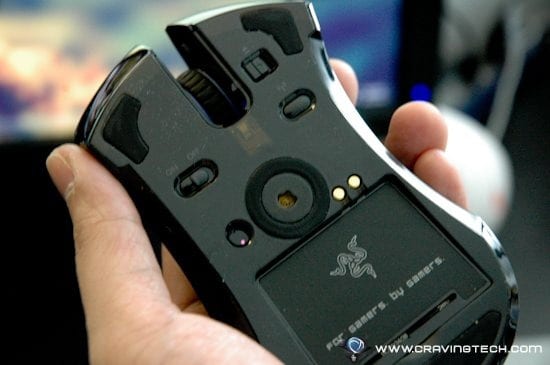
Underneath the mouse, we have the on/off (to turn the mouse off),
connect (to pair the mouse with the wireless transceiver/dock), and the
eject button (to unplug the cable out of the mouse)

 The dock

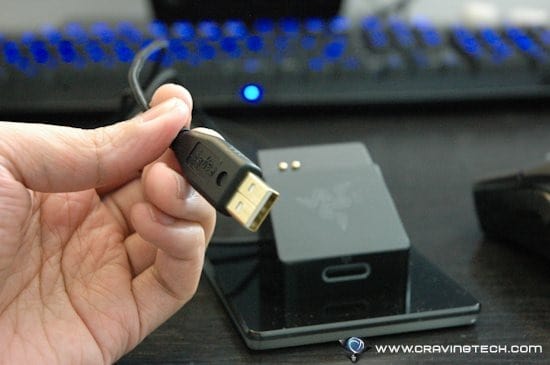
The wireless transceiver also looks really cool with its own
back-lighting and fits the overall theme of the mouse. It also serves as
a charging dock so you can hook the mouse into the dock when you are
off to bed. The dock itself is quite large in size, so it is not really
that portable (that’s why they have
Razer Orochi for that purpose).

Razer Mamba 2012 Review – Razer Mamba 2012 vs the original Razer Mamba

So if everything looks the same (the packaging, the mouse, the dock),
why bother buying the new Razer Mamba? Well, that’s because the new
Razer Mamba has:
A 4G Dual Sensor System
The new Razer Mamba is actually outfitted with a laser and an optical
sensor. This new design accurately calibrates the mouse to any surface
for better accuracy and tracking. So whether you are gaming on a soft or
hard gaming mat, Razer Mamba can auto calibrate itself to make sure
that you’ve got the most accurate tracking. This also allows
configuration of cutoff distance to suit your play style using the
software.
 Better battery life
With around 15% more battery life compared to the original Razer
Mamba, you can game longer before you have to recharge your mouse or
plug that USB cable back into the mouse. This is great because I often
forgot to recharge my old Mamba when I wasn’t using it for a few hours.
In the end, often the mouse ran out of juice because of this. Thanks to
the latest Mamba, this happened less frequently (yes, unfortunately I
still forgot to recharge the mouse every now and then

)
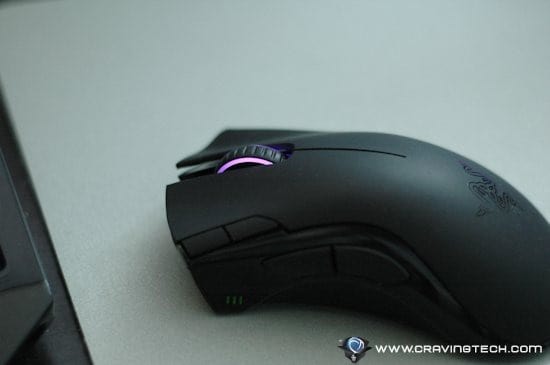
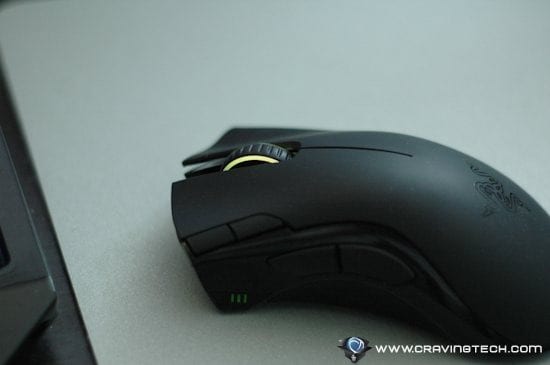
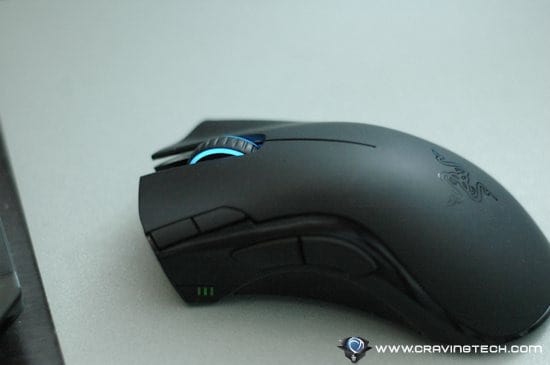
Multi-Color Lighting
If blue is not your color or if you just feel bored of seeing blue,
simply change the back-lighting to over 16 million possible
combinations! Using the software from Razer, it’s easy to pick a color
to suit your mood or style (pink for ladies, perhaps?). Or let it rotate
the color if you can’t choose.


 Better Driver (though backward compatible)
The new driver for the Razer Mamba rocks, really! Besides being able
to customize the lift-off distance and the back-lighting colors that I
have mentioned earlier, there is also a sleep mode! The new sleep mode
means that you can further save the battery when you are not using the
mouse after a specific period of time. This has helped me numerous times
when I forgot to hook my new Mamba on the dock. It does take a few
seconds to wake the Mamba up again though but this shouldn’t bother you
too much.
There is also a new power management area in which you can adjust the
brightness of the back-lighting in both wired and wireless mode. It
also displays an estimated battery life based upon your brightness
settings. Nifty.

Razer Mamba 2012 Review – Conclusion

All in all, the new Razer Mamba 2012 promises a more accurate
tracking, longer battery life, and more customization (lighting color,
brightness setting, etc). When tested on playing FPS games online (Left 4
Dead 2, COD Black Ops, Battlefield: Bad Company 2), Razer Mamba 2012
simply rocks – it’s smooth, accurate, and feels natural.
The mouse is also comfortable to use for hours and glides smoothly on my
Razer Scarab.
So far, the Mamba is still the best wireless gaming mouse without lag
issues and also has plenty of juice for wireless gaming (16 hours of
continuous gaming according to Razer – I manage to get around 2-3 days
out of the Mamba without recharging; around 4-5 hour-ish of usage each
day, so the claim is about right)
Razer Mamba 2012 Review – Pros
+ 4G dual-sensor for more accurate tracking on any surface
+ Wireless without sacrificing speed
+ Sleek looking
+ 15% more battery life compared to the original Mamba
+ Multi-Color Lighting
+ Better driver
+ Comfortable
+ Sleep mode to further save battery life
+ Cool wireless transceiver dock + to recharge
+ Can be transformed into a corded mouse solution almost instantly
Buy Razer Mamba at Amazon
copyright http://www.cravingtech.com/